Transmit CAN FD messages
BUSMASTER CAN -> Transmit Window creates and transmits classic CAN and CAN FD messages. The BUSMUST-maintained edition includes CAN FD enhancements.
Main fields
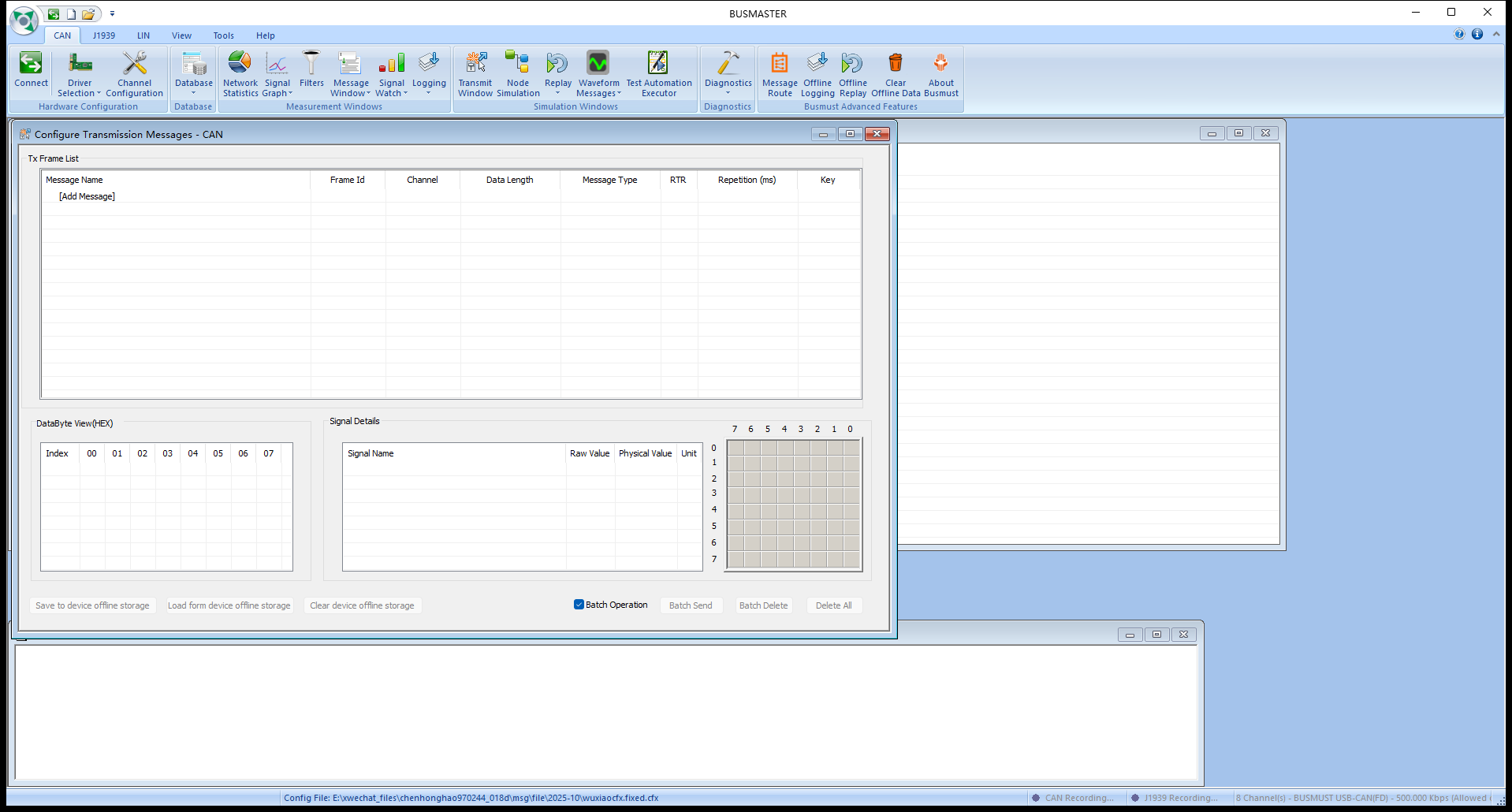
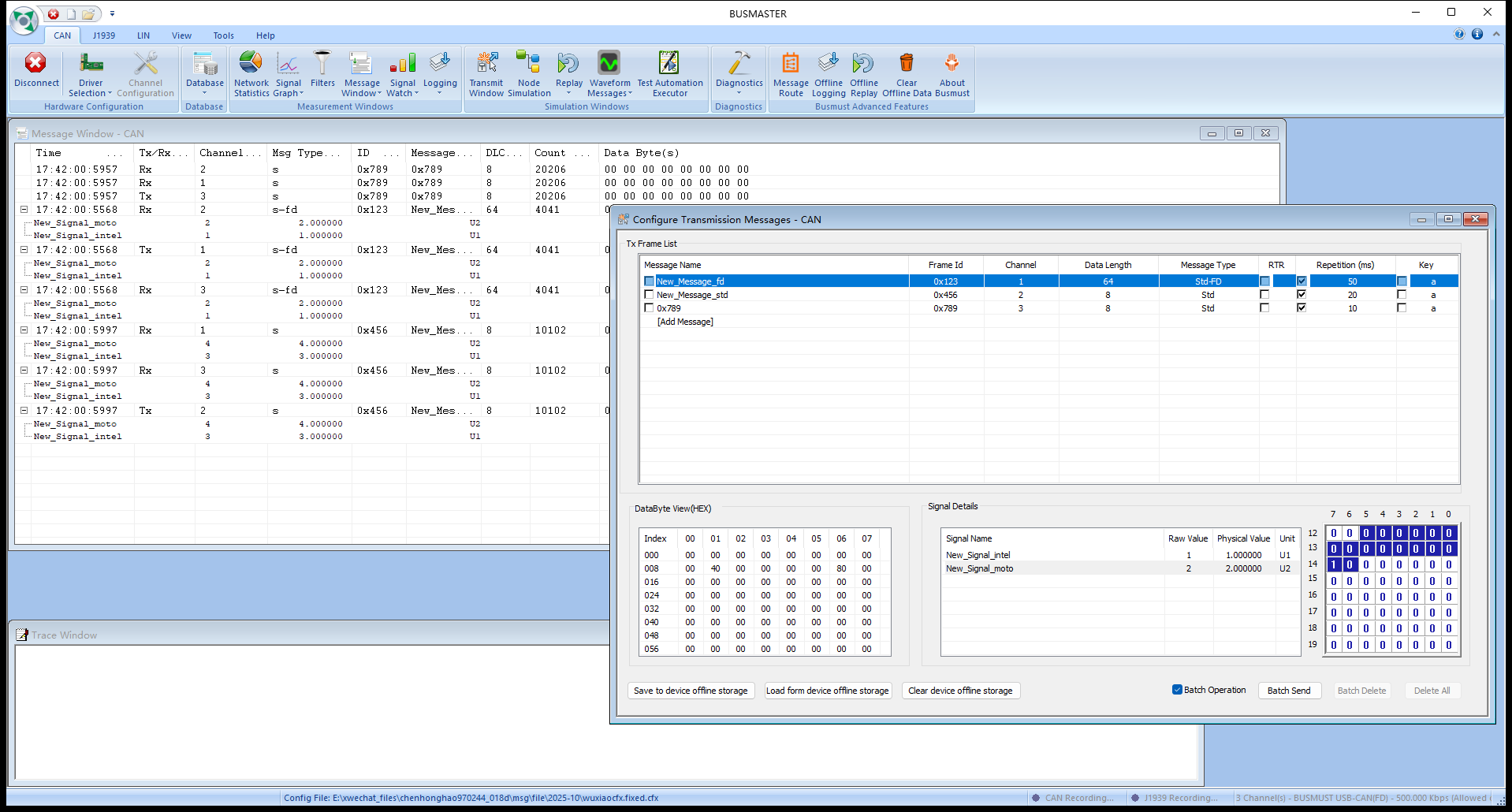
Section titled “Main fields”Message Name: a database message name or a manually created message.Frame Id: CAN identifier.Channel: BUSMASTER logical transmit channel; it must match the channel mapping.Data Length: normally 0–8 bytes for classic CAN and up to 64 bytes for CAN FD.Message Type: standard, extended, CAN FD, or CAN FD+BRS, depending on release and device capability.RTR: remote-frame option, mainly for classic CAN.Test Pattern: changes the identifier, a data field, or both according to the configured pattern. Parts not included in the pattern retain the row’s template value.Send Count: limits the periodic task.Infinitekeeps transmitting; values from1through65534stop the row automatically after that many successful periodic submissions.Repetition (ms): periodic transmit interval.Key: keyboard trigger.
The Send Count list provides Infinite, 1, 10, 100, 1000, and 10000, and you can enter another valid count directly. 0, 65535, a blank value, non-numeric text, or an out-of-range value is treated as Infinite without an error dialog. Reopening the list preserves and selects the current value.
A finite count applies only to periodic transmission. A frame sent with Send Message or a keyboard shortcut does not consume the remaining periodic count. Stopping and re-enabling a row, reconnecting, or re-enabling a completed row starts again at transmission 1. Editing a valid transmit parameter restarts only that row and does not reset other rows. Send Count remains independent of Test Pattern: for example, an ID range of 1 through 255 with Send Count 10 transmits IDs 1 through 10 and stops. If a pattern wraps before the count is reached, it continues from its configured minimum until the total count completes.
CAN FD checklist
Section titled “CAN FD checklist”- Select
BUSMUST USB-CAN(FD)underCAN -> Driver Selection, then configure arbitration bitrate, data bitrate, and termination. - Prefer DBC for CAN FD database messages. DBF is primarily a classic-CAN format and should not be the main database for a CAN FD project.
- When transmitting CAN FD+BRS, confirm that the interface, ECU, and channel configuration all support and use the same data-phase bitrate.
- Start with a slow transmit period while verifying the channel and frame format, then change to the target interval.
- Verify a finite count on an independent receiver and count by identifier and channel. The periodic check box clearing means that BUSMASTER considers the task complete; by itself, it does not prove that exactly N frames appeared on the bus.
Source: BUSMUST technical knowledge base transmit-window-canfd.md. This public guide is maintained by the website content pipeline. Use the download center for current and archived software releases.
Manual frames and DBC signal transmission
Section titled “Manual frames and DBC signal transmission”These original screenshots come from the BUSMASTER manual or illustrated guide and show the actual workflow.