
MinGW Installation using TDM-GCC Installer
MinGW Installation
Section titled “MinGW Installation”The following steps should be followed to Download and install MinGW using TDM-GCC Installer.
-
Download the TDM-GCC from the following link http://sourceforge.net/projects/tdm-gcc/files/TDM-GCC%20Installer/Previous/1.1309.0/tdm-gcc-4.8.1.exe/download
-
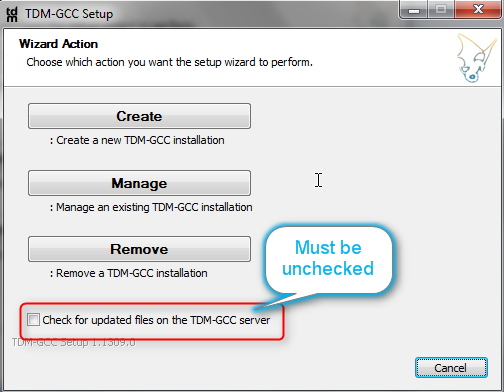
Run the installer. Following image will show the first screen of the installer.
-
-
Click on the create button, if you are installing the first time this will go to the following screen.
-
-
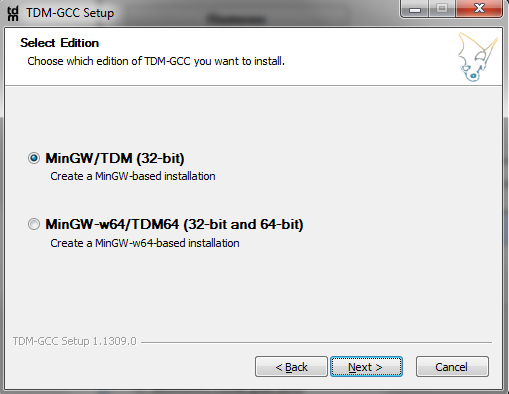
Select MingW/TDM(32-bit) option and click Next, to get to the following screen.
-
-
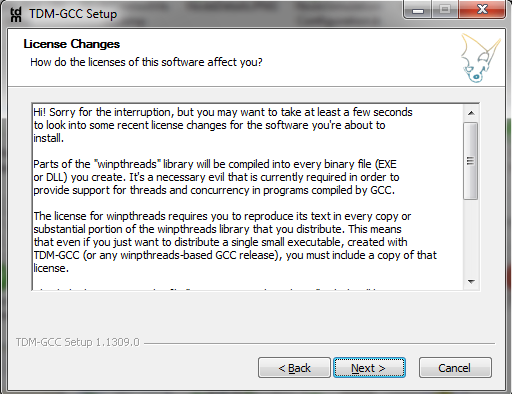
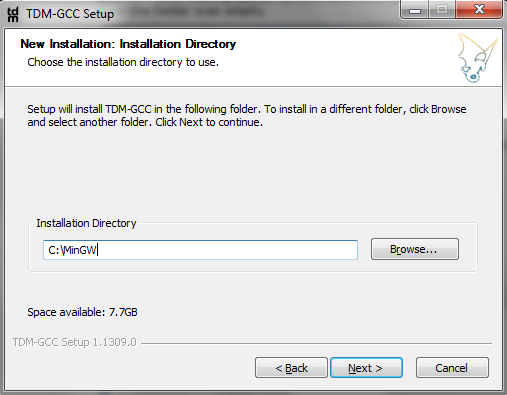
Click Next and provide path to install the GCC . GCC has some problems if it is installed in a folder name having space. So it is recommended to install in path like C:\MinGw. Make sure the folder was empty.
-
-
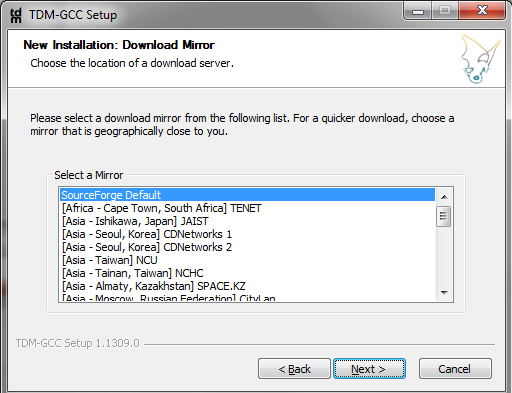
Click Next
-
-
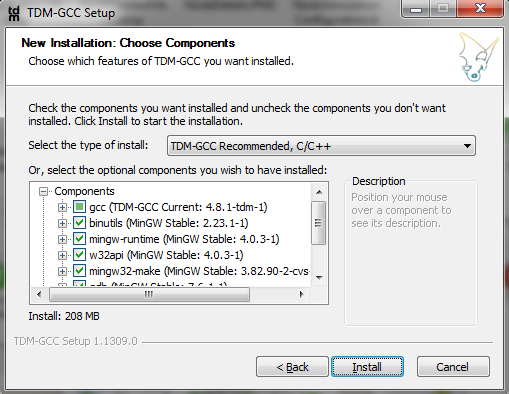
Click Next and select MingW Stable, C\C++ option as shown in the below image.
-
-
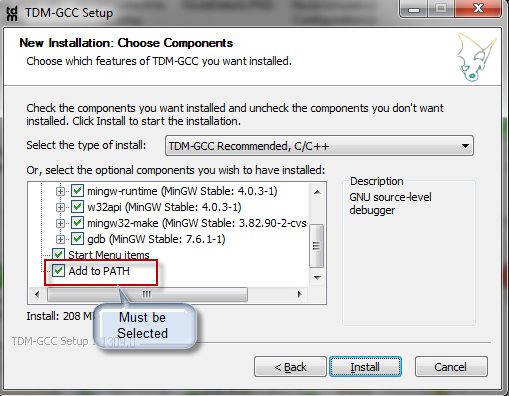
Make sure ‘Add to path’ option is selected. Click to install.
-
Authoritative source: BUSMASTER DITA help source MinGW_Installation_TDM.dita, compiled into BUSMASTER.CHM with the application.