
Single Run Mode
Find more details to configure replay in cyclic mode in section Log and Replay.
Interactive Replay
Section titled “Interactive Replay”In interactive replay mode, replay window will be displayed during connect. Follow the steps given below to start replay. Select a message from Message Replay Window. There are four options to select CAN Replay Go CAN Replay Step CAN Replay Skip CAN Replay Stop
User can use tool bar button shown in figure below for this purpose. 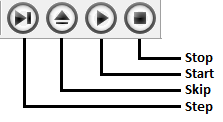 ### Step
If User selects Step the current highlighted message will be sent over CAN bus and next message will be highlighted. If the current highlighted message is the last message in message replay window, then first message in the replay window will highlighted.### Skip
If User selects Skip the highlighted message will not be sent and next message will be highlighted. the current highlighted message is the last message in message replay window, then first message in the replay window will highlighted.### Go
If User selects Go then replay will start and message transmission will happen continuously with configured message delay. Replay message window will be freezed. Once replay finds break point or the last message is already transmitted, replay will stop. In case of break point, that line will be highlighted. If it is due to the last message transmission, then first message will be highlighted. Once the replay is stopped, replay message window will be activated again.### Stop
If user selects Stop, the replay of messages will be stopped. If replay is in the middle of message transmission, that message will be completely transmitted and then replay will stop. Once the replay is stopped, replay window will be activated again and next message of last transmitted message will be highlighted.### Break Points
Inserting break points in the replay messages enables user to transmit a section of messages and then go in to the step mode. Break points shall be inserted by just double clicking the message entry in the replay window. This is a toggling functionality. Double clicking again on the same message entry will disable break point.
Replay with Go option will stop at break point. This makes user to analyze the CAN communication better.
Note Break points are available only in interactive single run mode and will be considered in Go option only In case of Step, break points are ignored### Non-Interactive Replay
In non-interactive replay, message transmission will start from the beginning during tool connect. Message transmission will be stopped during tool disconnect.
Authoritative source: BUSMASTER DITA help source single_run_mode.dita, compiled into BUSMASTER.CHM with the application.