LIN device configuration and messaging
This guide covers BUSMUST LIN channel configuration, transmit and receive workflows, LDF databases, schedule tables, and logging in BUSMASTER.
Basic workflow
Section titled “Basic workflow”- Select the BUSMUST LIN driver under
LIN -> Driver Selection. - Scan for the device and map the physical LIN channel to a BUSMASTER logical channel.
- Configure the LIN bitrate, master or slave role, checksum mode, and related parameters.
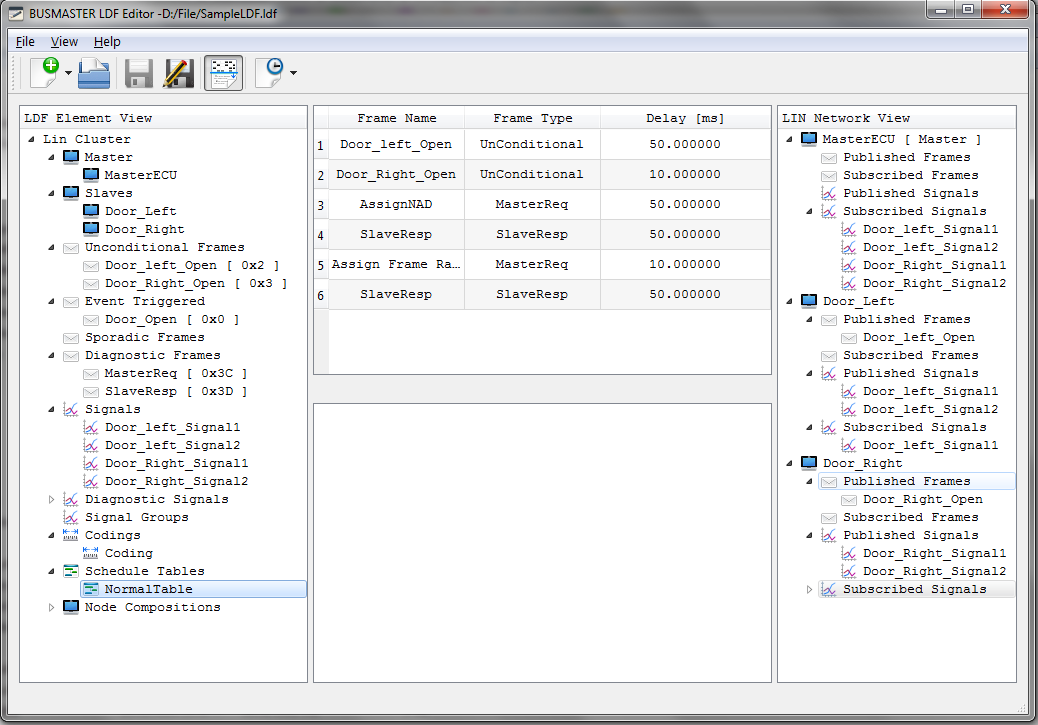
- Load an LDF file when signal-level decoding is required.
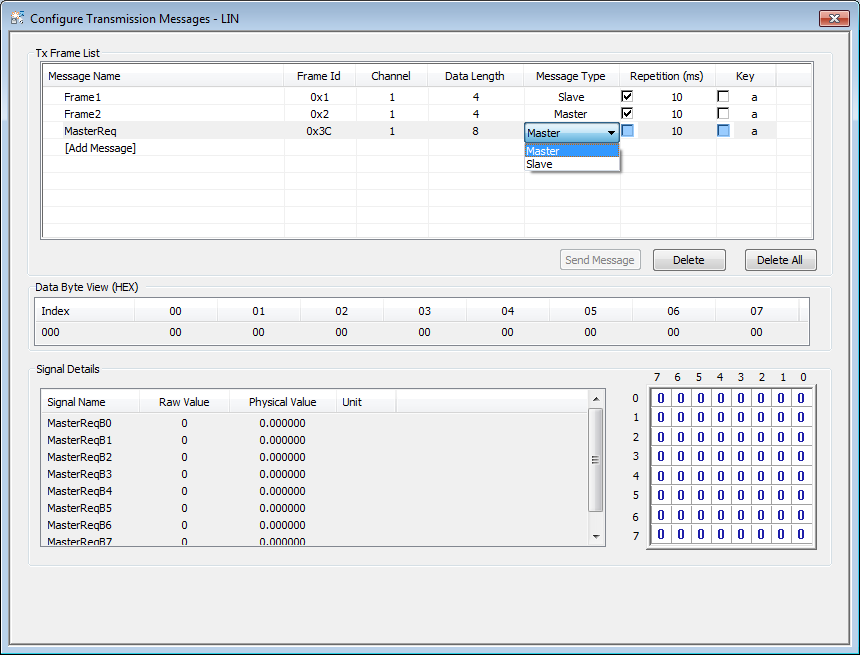
- Transmit frames from the LIN transmit window or a Schedule Table.
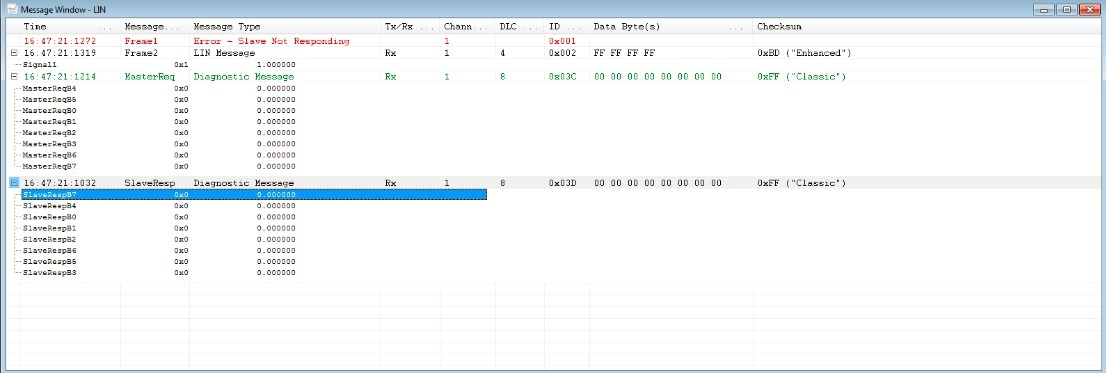
- Verify traffic in the LIN Message Window.
- Enable LIN logging when the bus traffic must be retained.
Hardware selection fields
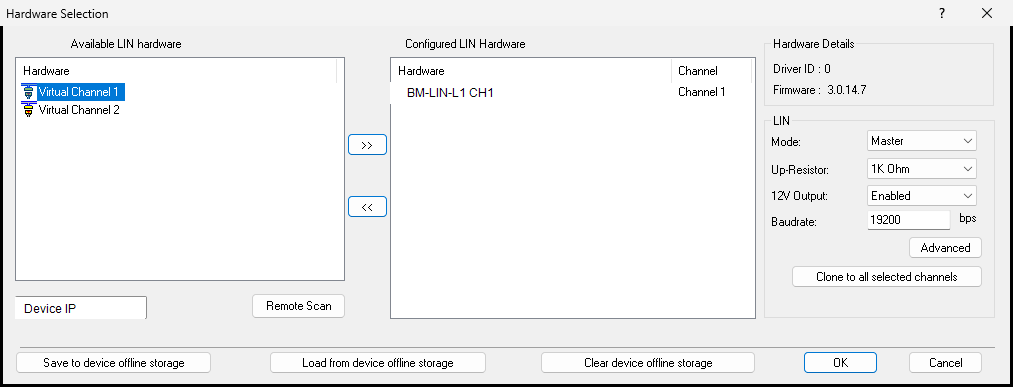
Section titled “Hardware selection fields”The BUSMUST LIN hardware selection window normally includes:
Available LIN hardware: detected physical LIN channels.Configured LIN Hardware: channels already mapped to BUSMASTER logical channels.Mode: Master or Slave. Master mode can transmit LIN headers and schedule tables; Slave mode responds to requests from the master.Up-Resistor: LIN pull-up configuration, commonly 1 kOhm.12V Output: device-side LIN supply output. Enable it only when it matches the wiring and target-node power arrangement.Baudrate: LIN bitrate, commonly 19,200 bit/s.Advanced: opens the LIN hardware receive filter.Save/Load/Clear device offline storage: writes configuration to the device, reads it back, or clears stored offline configuration.
LIN hardware receive filtering
Section titled “LIN hardware receive filtering”The BUSMUST LIN Hardware Acceptance Filter selects LIN identifiers from 0 through 63 and provides Select All and Select Reverse actions.
During bring-up, select all identifiers first. After the expected response is visible, reduce the selection to the identifiers required by the project. This avoids mistaking a filter configuration issue for an incorrect bitrate, node role, or wiring problem.
Troubleshooting
Section titled “Troubleshooting”- No LIN response: verify master/slave roles, bitrate, power, ground, and that the schedule table is running.
- Signals are not decoded: verify that the LDF is loaded and its frame identifiers and signal definitions match the network.
- Checksum errors: verify whether the node uses classic or enhanced checksum mode.
Source: BUSMUST technical knowledge base busmust-lin-device-workflow.md. This public guide is maintained by the website content pipeline. Use the download center for current and archived software releases.
LIN device, messaging, and schedule workflow
Section titled “LIN device, messaging, and schedule workflow”These original screenshots come from the BUSMASTER manual or illustrated guide and show the actual workflow.