
Connect and Disconnect
User can connect/disconnect the tool from the CAN-bus by pressing/releasing a toggle toolbar button shown in the figure below.
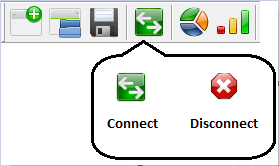
The tool can also be connected by selecting CAN Connect menu option (available only in disconnected state) or by pressing F2 function key. The same can be disconnected by selecting CAN Disconnect menu option (available only in Connected state) or by pressing Esc key. When the tool is in connected state, the menu option will become Disconnect and when the tool is in disconnected state, the menu option will be displayed is Connect.
Transmission and reception of messages can be done only when the tool is in the connected state.
Authoritative source: BUSMASTER DITA help source connect.dita, compiled into BUSMASTER.CHM with the application.