
MinGW Installation using GCC Installer
MinGW Installation
Section titled “MinGW Installation”The following steps should be followed to install MinGW and use it to successfully compile CPP files in Node Simulation using BUSMASTER.
- Download latest mingw executable from the following link http://sourceforge.net/projects/mingw/files/Installer/mingw-get-inst/ and then use it to download the actual MinGW and copy the MinGW folder to C: drive
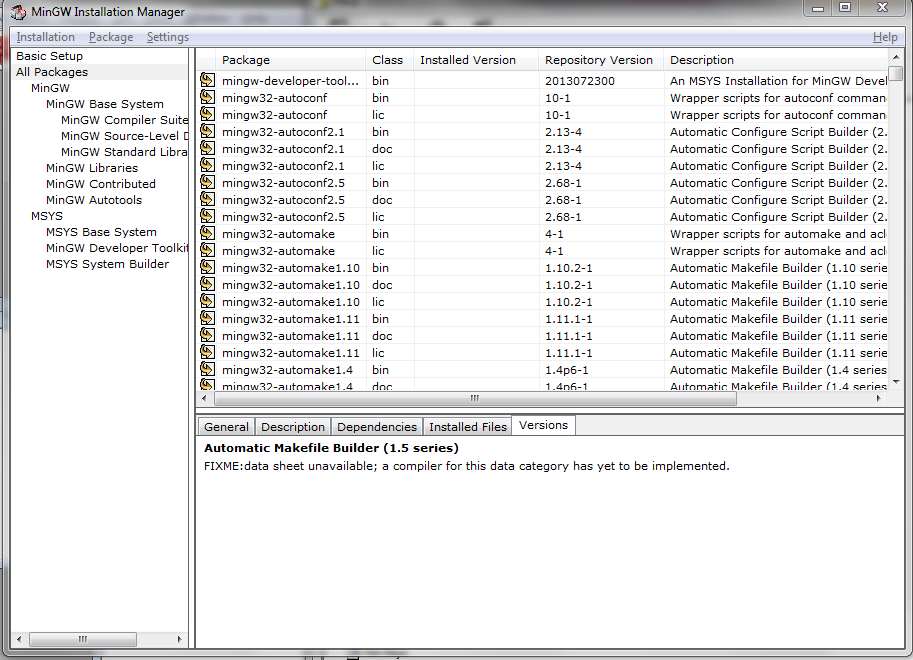
- During MinGW installation, please choose the packages as shown in the screen below as it is not selected by default:
- Set the environment variable ‘path’ as ‘C:\MinGW\bin’.
Authoritative source: BUSMASTER DITA help source MinGW_Installation.dita, compiled into BUSMASTER.CHM with the application.