
Format Converters
Format Converters:
Currently Five external tools are integrated with BUSMASTER
CAPL To CPP Converter: Converts CAPL (.can) file into BUSMASTER CPP (.cpp) file DBC To DBF Converter: Converts DBC (.dbc) file into BUSMASTER database (.dbf) file DBF To DBC Converter: Converts BUSMASTER database (.dbf) file into DBC (.dbc) file ASC TO LOG Converter: Converts CANoe log file (.asc) to BUSMASTER log file(.log) LOG To ASC Converter: Converts BUSMASTER log file (.log) to CANoe Log file (.log) Log To Excel Converter: Exports BUSMASTER log file (.log) to CSV (Comma Seperated Values) Format BLF To LOG Converter: Converts BLF (.blf) file into BUSMASTER log file (*.log)
Usage:
To use the Converters select Tools –> Format Converters As Shown in the below figure.
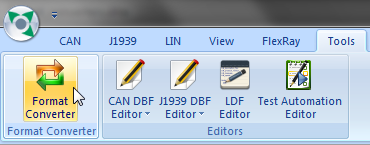
A window is displayed with 3 tabs in it which caters to various conversions.
CAPL to CPP Conversion
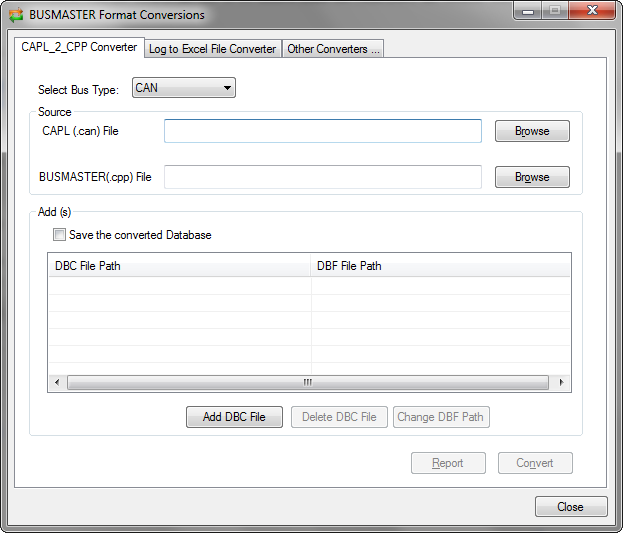
Section titled “CAPL to CPP Conversion”CAPL to CPP Converter is used to convert the CAPL file (.can) to CPP (.cpp) files to be used with BUSMASTER. Once the CAPL file is selected for conversion, the entry for output file name will be automatically filled with input file name but with the extension of .cpp
Any database associated with the CAPL file has to be added using the Add DBC file option. The DBC file will be converted to DBF file and will be used for conversion. The converted DBF file will saved in the same path by default.
Select the convert button to convert the file
 ### Log To Excel Converter
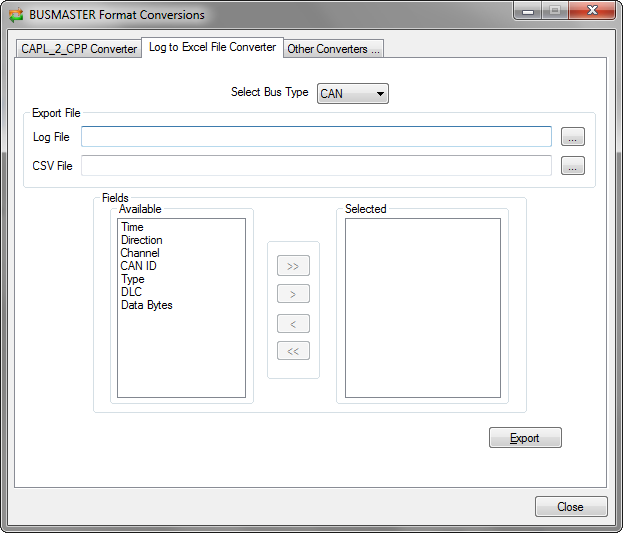
Log to Excel Converter is used to convert the log file (.log) in to an .xls file. The messages recorded by BUSMASTER using the logging feature can be neatly updated in a .xls file using this conversion.
Once the input file is selected the output file is filled automatically in the same path of input file with input file’s name with the extension of .xls. Either specific fields or all the fields can be used for conversion. Only the selected fields data will be converted.
Select the Export button to convert the file
 ### Other Converters
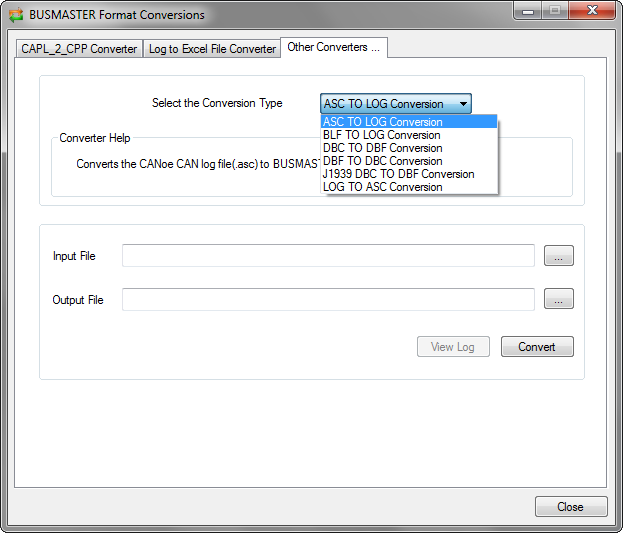
This supports the following conversion:
- ASC to LOG - Converts log files in ASC format to BUSMASTER format files (.log)
- DBC to DBF - Converts database files in DBC format to BUSMASTER format files (.dbf)
- DBF to DBC - Converts BUSMASTER database files to DBC format files (.dbc)
- J1939 DBC to DBF - Converts J1939 database files in DBC format to BUSMASTER format files (.dbf)
- LOG to ASC - Converts BUSMASTER log files to ASC format files (.asc)
Select the convert button to convert the files
Authoritative source: BUSMASTER DITA help source format_converters.dita, compiled into BUSMASTER.CHM with the application.