
Codings
Creating Codings:
To create Codings right click on the Codings element in the element view and click on pop up menu ‘New’.A dialog Box as Shown in below image will be displayed.
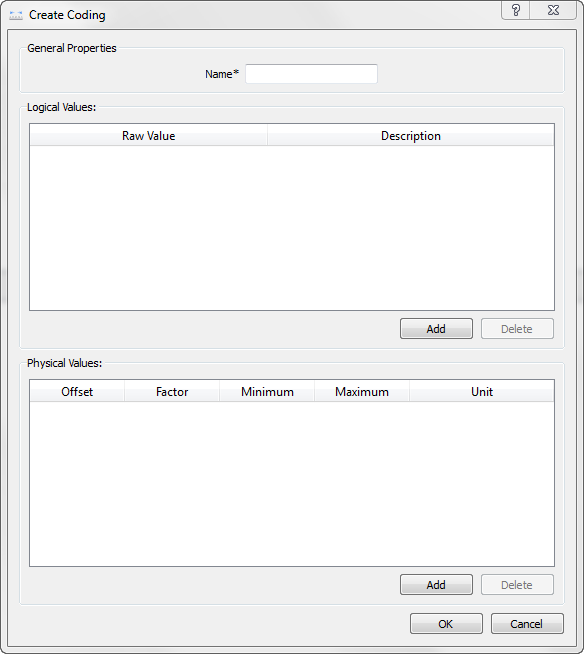
General Properties: Name: Name of the Coding should follow C identifier rules and should be unique in coding list. Logical values and physical values can be created using Add Buttons provided in the corresponding sections.
Editing Codings:
To edit existing Coding right click on the required coding item in the Element view and click on ‘Edit’. Edit Coding - <Coding Name> dialog will be displayed as shown below.All The values are editable
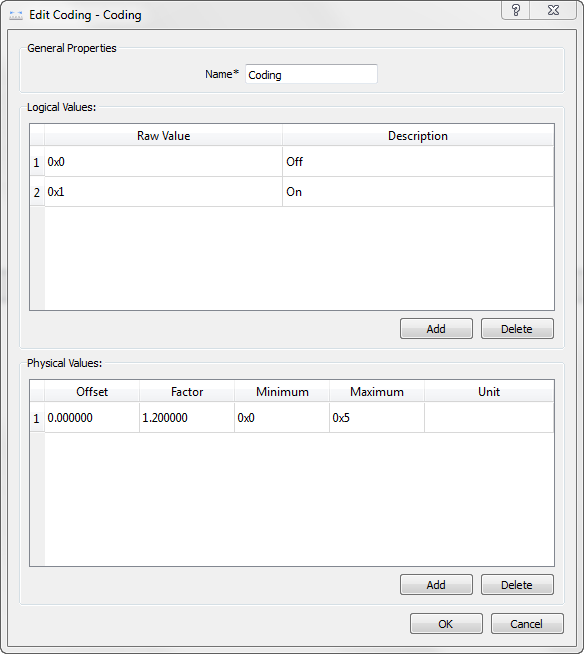 To delete a logical element select the logical row and click on the Delete button provided in the same section.Similarly Physical values also can be deleted using the delete button provided in the same section.To save the changes click on ‘OK’ button. Errors are displayed if validation fails.
The following validations are performed: Coding name will be checked for its uniqueness
To discard the changes click on ‘Cancel’ button.Deleting Coding:
To delete any coding, right click on the coding item in the Element view and click on the pop up menu Delete. A confirmation message will be displayed before deleting the coding.
On deletion, coding will be unmapped from all associated signals.
Authoritative source: BUSMASTER DITA help source LIN_Editor_Coding.dita, compiled into BUSMASTER.CHM with the application.