
Network Statistics
Network statistics dialog gives details about the messages transmitted and received on the bus. This information includes the number of Standard, Extended, RTR and Error messages transmitted and received by BUSMASTER and current rate of these parameters. This is updated once in a second. Message rate per second and Network load in terms of Bus traffic is also presented. The peak network load will show the peak traffic during that session. This information can be used to find bus utilisation. Statistics information will be cleared during connect and during controller reset.
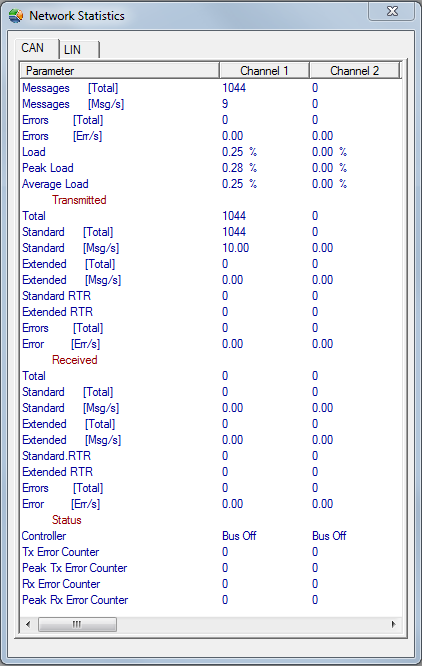
To invoke Network Statistics Dialog, select the menu CAN –> Network Statistics.
Authoritative source: BUSMASTER DITA help source network_statistics.dita, compiled into BUSMASTER.CHM with the application.