
AI-NATIVE BUS TOOLING
Connect AI tools to real CAN, LIN, and other buses
BMCLI lets AI tools, agents, and automation harnesses—including Codex, Claude Code, and WorkBuddy—connect to BUSMUST hardware and real CAN, CAN FD, and LIN buses, then compose messaging, UDS, XCP, logging, replay, node simulation, signal gateways, and web dashboards into reusable engineering workflows.
 Codex
Codex Claude Code
 WorkBuddyand more AI tools
Works with AI agents, agent harnesses, and automation frameworks—connecting real CAN, CAN FD, and LIN buses while composing diagnostics, measurement, logging, replay, simulation, and web dashboards.
irm https://download.busmust.com/bmcli/install.ps1 | iexcurl -fsSL https://download.busmust.com/bmcli/install.sh | sh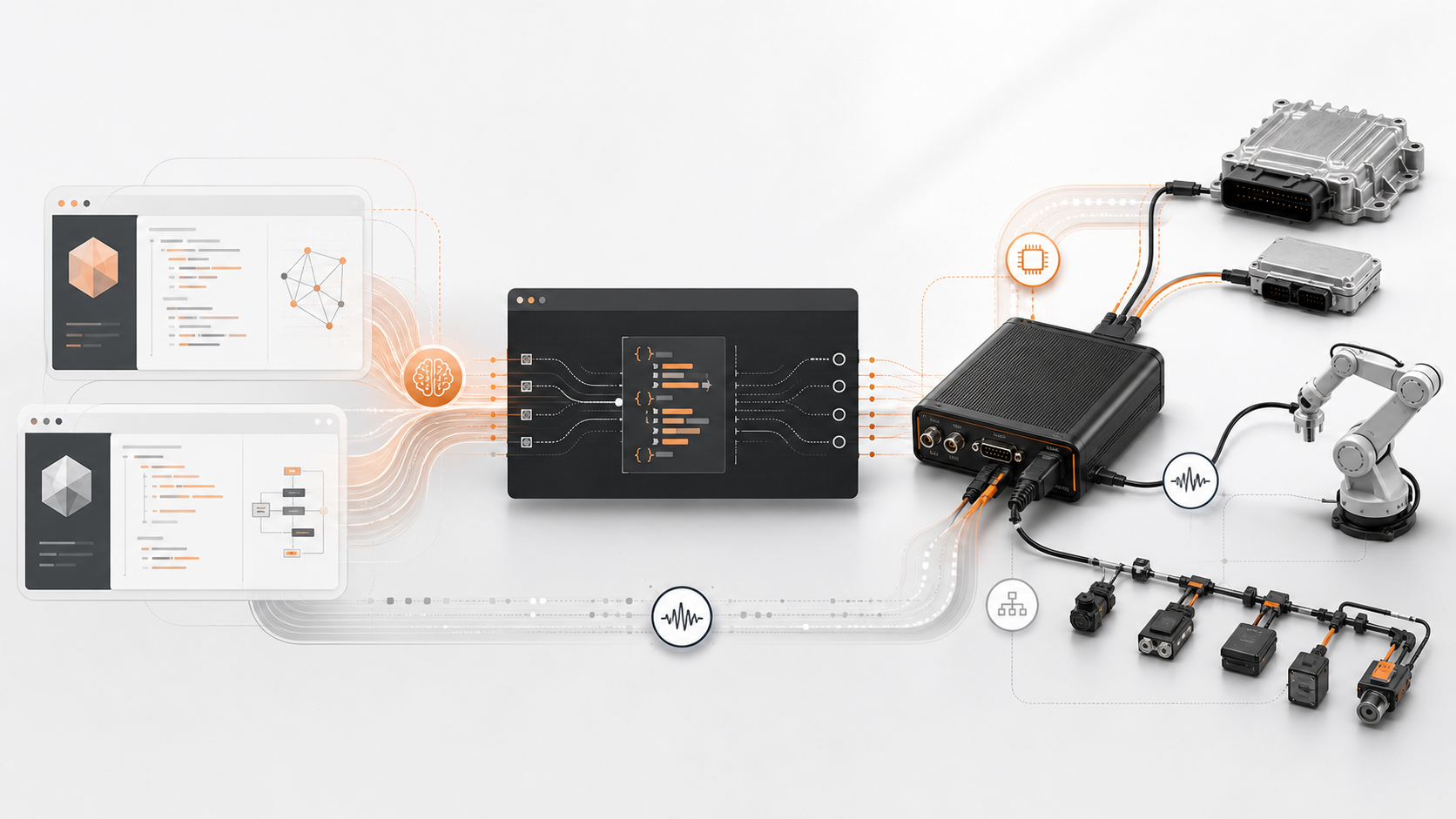
CLOSED-LOOP ENGINEERING
From AI reasoning to a real bus, every step has concrete commands and results.
AI tools such as Codex, Claude Code, and WorkBuddy understand the goal and engineering context, then invoke structured BMCLI commands. BMAPI and BUSMUST hardware reach real CAN, CAN FD, and LIN buses and return live results for the next decision.
bmcli message recv --channel=10356/1 --duration=5bmcli logging start --channel=10356/1 --path=trace.blf --log-format=blfbmcli uds request 22 F1 90 --channel=10356/1bmcli replay start --channel=10356/0 --file=trace.blf --speed=1.0REAL ENGINEERING SCENARIOS
Six BMCLI engineering paths, from bus access to closed-loop validation
Every scenario comes from the published BMCLI tutorial series with engineering inputs, commands, example files, and outcome boundaries.
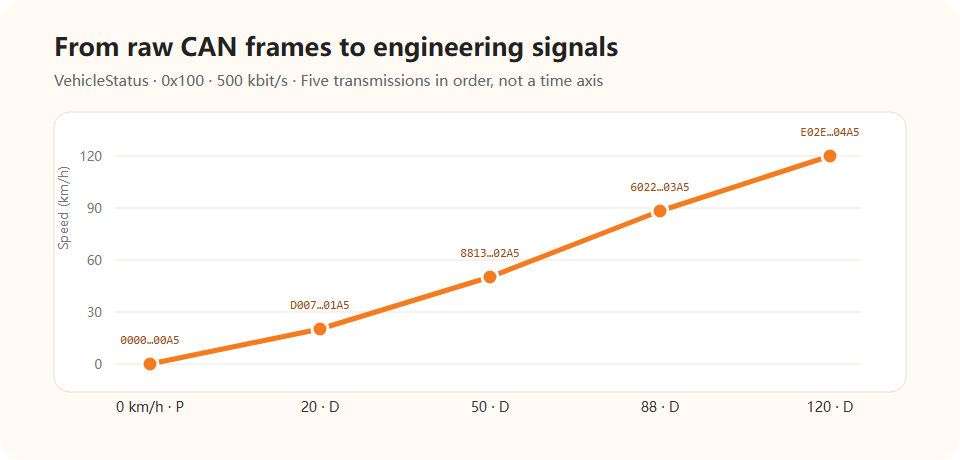
From raw frames to engineering signals
Identify CAN parameters, capture traffic, load a DBC, and give physical signals such as vehicle speed to an AI workflow.
Open the full tutorial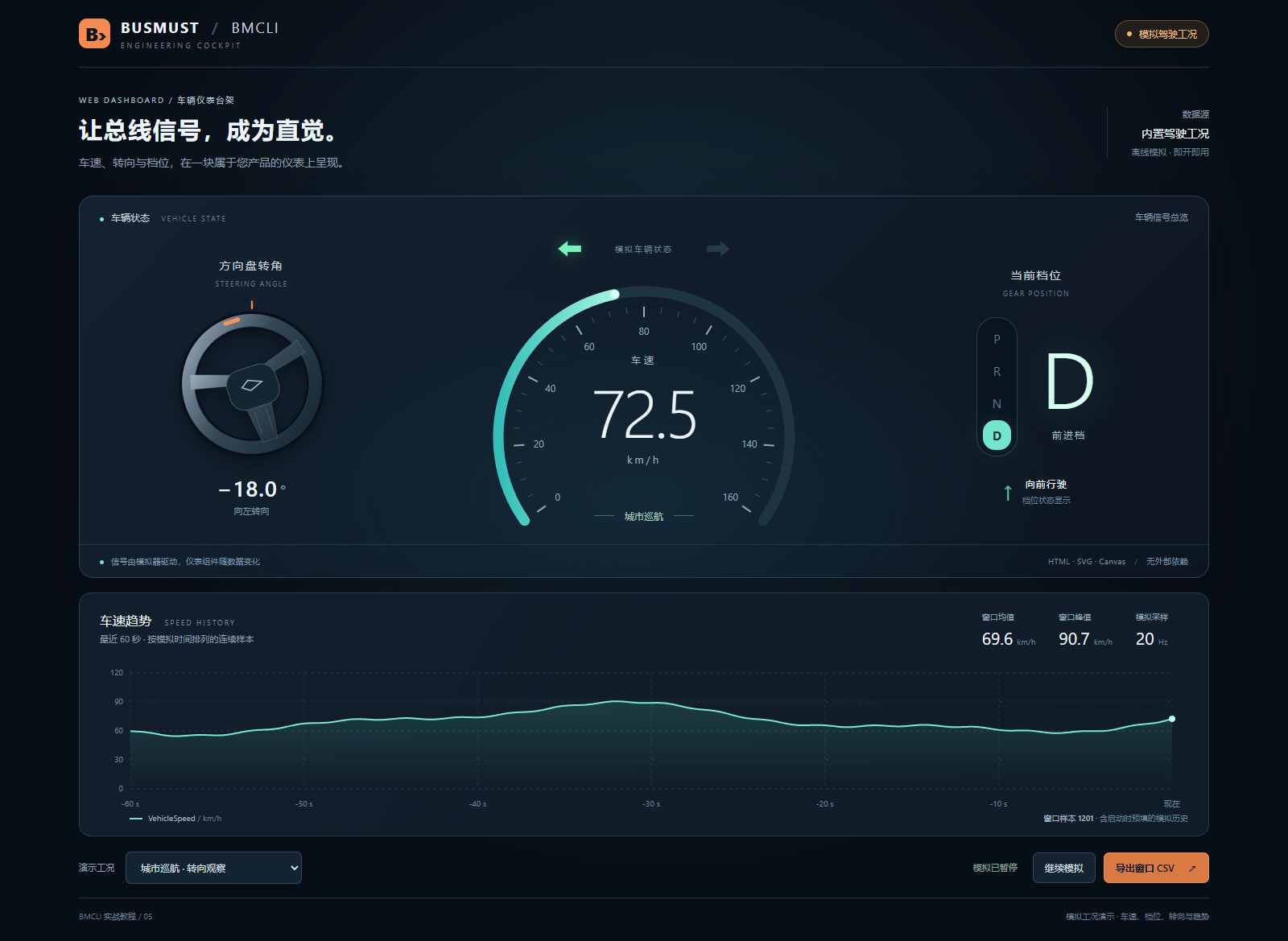
Web dashboards and vehicle cockpits
Use AI and BMCLI to create web interfaces that display live signals and state acquired from real hardware.
Open the full tutorial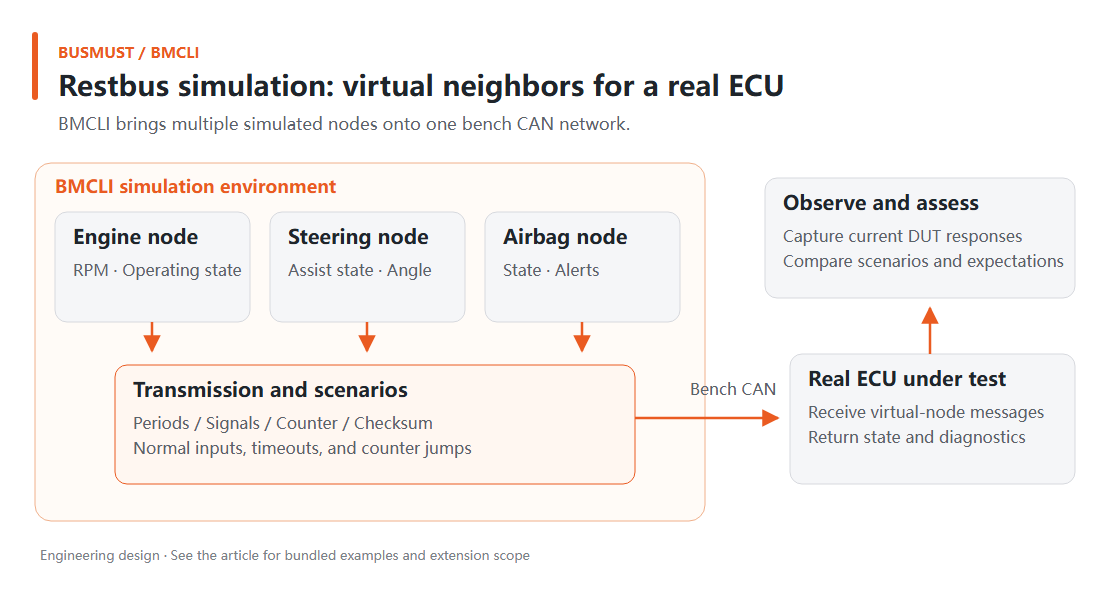
Node simulation and fault injection
Build a Restbus environment around a real ECU with virtual nodes, then inject pauses, out-of-range signals, and communication faults.
Open the full tutorial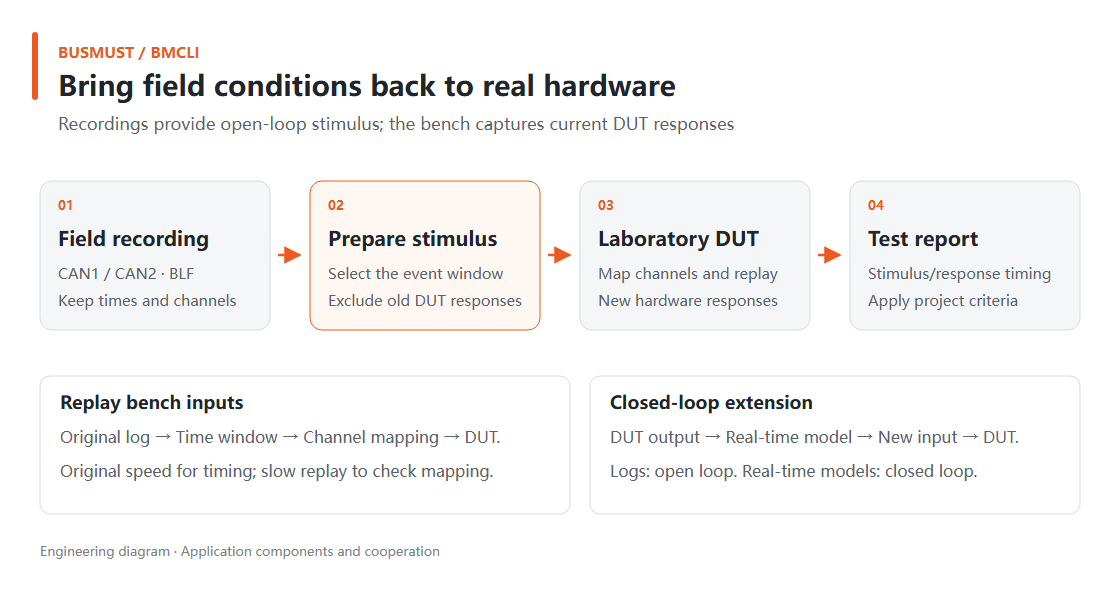
Recording, replay, and HIL
Turn road-test logs into laboratory stimuli, replay original timing to a real DUT, and verify the fix.
Open the full tutorial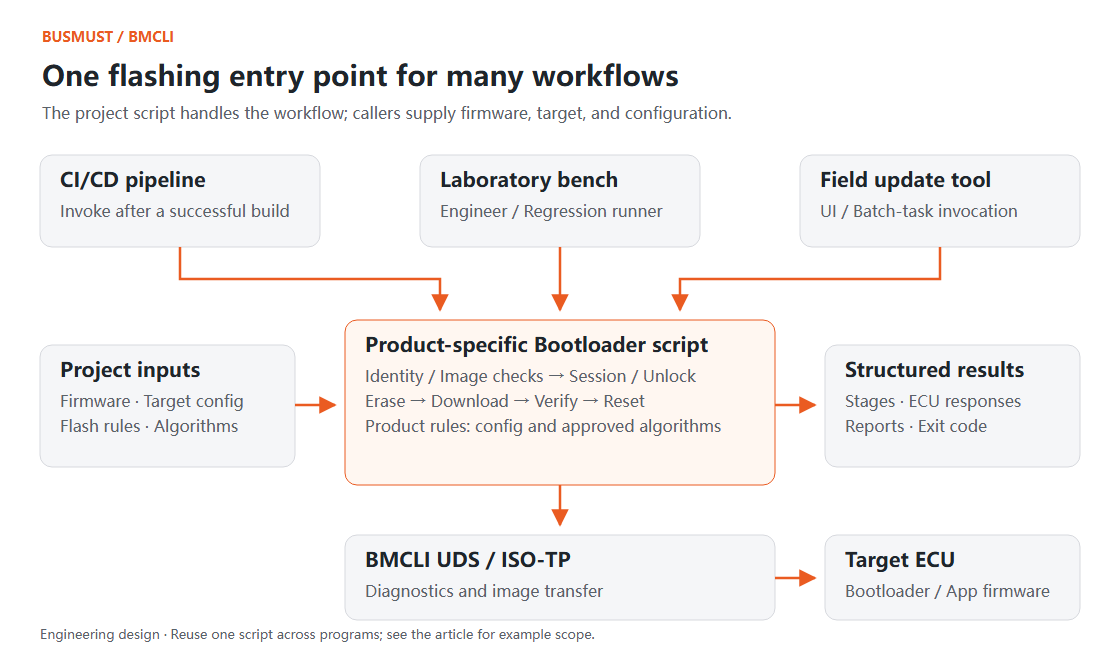
UDS diagnostics and bootloader flashing
Compose sessions, security access, firmware download, and reports into an executable and traceable flashing tool.
Open the full tutorial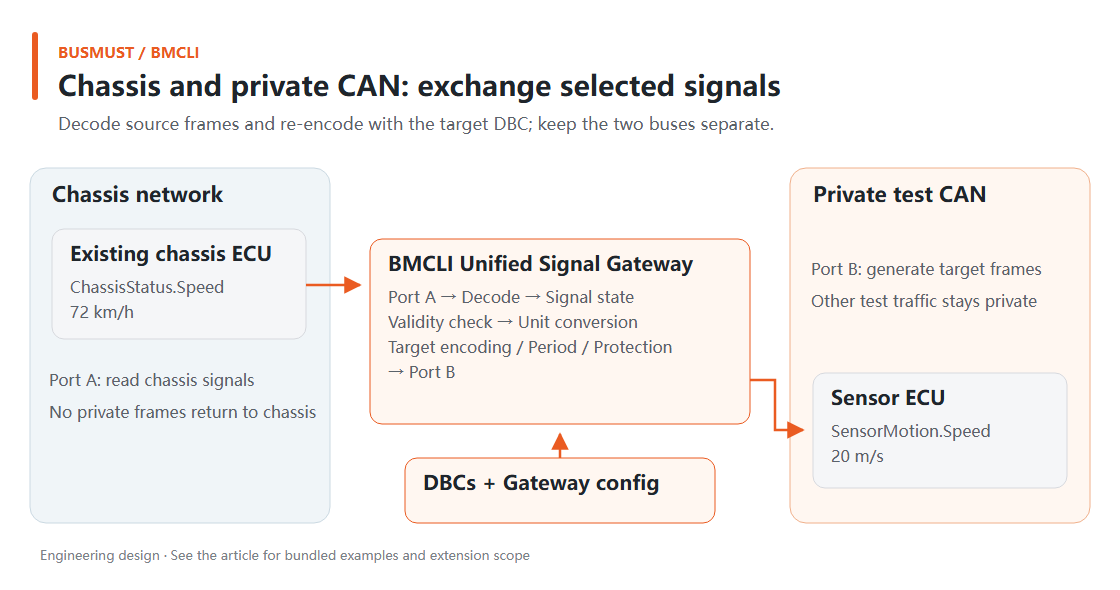
Unified signal gateway
Map, convert, and protect signals across two CAN networks, DBC definitions, and industrial I/O.
Open the full tutorialCOMMAND REFERENCE
Find commands by engineering taskOpen the BMCLI command reference
Tutorials explain complete workflows. Reference pages define commands, parameters, response fields, states, and stable links.
bmcli messageTransmit and receive messages
CAN, CAN FD, and LIN messaging, filtering, counts, and timing.
bmcli loggingBus logging
Capture ASC/BLF logs and manage segmented recording, status, and safe stop.
bmcli replayLog replay
Replay ASC/BLF with speed, looping, time ranges, and channel mapping.
bmcli udsUDS diagnostics
Run diagnostic sessions, security access, service requests, and downloads.
bmcli webWeb service
Expose live JSON data to browser and local-network applications.
bmcli simulationNode simulation
Run virtual nodes, cyclic traffic, and controlled application-layer faults.
bmcli gatewaySignal gateway
Organize signal mapping, transformation, and routing across buses and protocols.
bmcli deviceDevices and channels
Discover BUSMUST hardware, inspect state, and configure communication channels.